The Complete Guide to NetSuite Payment Processing (2026)
How NetSuite payment processing works, where NetSuite Pay and SuitePayments stop, and how a payment connector adds wallets, BNPL, crypto and any processor, reconciled in NetSuite.
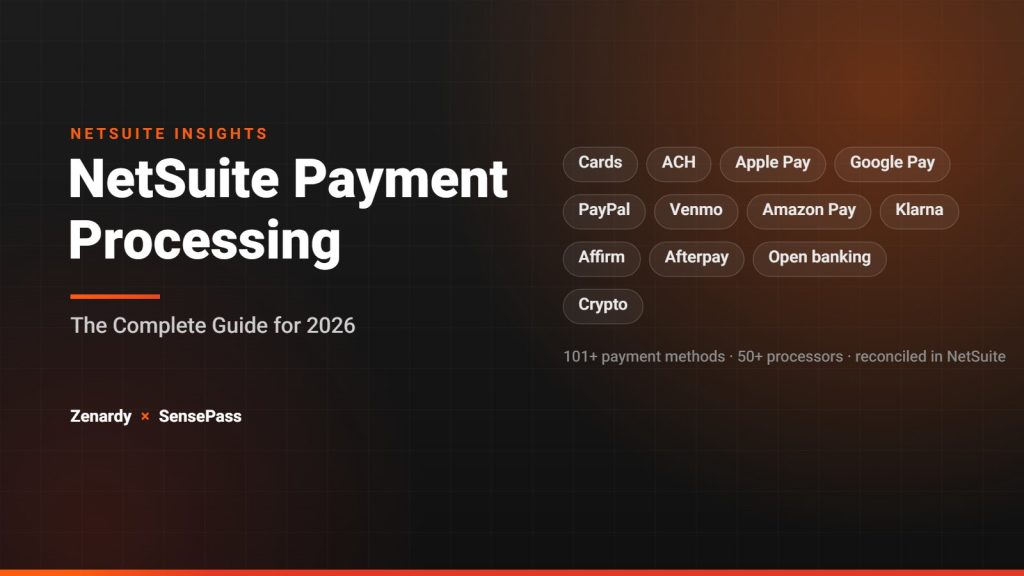
If your business runs on Oracle NetSuite and you take customer payments, how you process those payments quietly shapes three things that matter: your cash flow, your reconciliation workload, and the total cost of accepting money. Yet payment processing is one of the most misunderstood parts of a NetSuite implementation — tangled up in overlapping terms, native tools that don’t always fit, and a long list of third-party options.
This guide breaks it down: what NetSuite payment processing actually is, how the native tools work and where they stop, and how to add the payment methods and processors your business needs. It’s written for finance leaders, controllers, and operations teams evaluating how to get paid inside NetSuite in 2026.
It’s also informed by our own experience. As part of our NetSuite practice, Zenardy partnered with SensePass — a NetSuite-certified connector that lets businesses add virtually any payment processor, wallet, BNPL option, or crypto payment to NetSuite through a single integration. We chose SensePass for its flexibility and its ability to solve the payment complexity our clients run into most: too few payment methods, processor lock-in, and manual reconciliation. More on why below — but first, the fundamentals.
What Is NetSuite Payment Processing?
NetSuite payment processing is the set of tools and integrations that let you accept, manage, and reconcile customer payments directly inside the NetSuite ERP — across invoices, sales orders, your SuiteCommerce store, and your physical point of sale — without exporting data to a separate system.
Done well, it collapses the order-to-cash cycle into one environment: a customer pays, the invoice or sales order is marked paid, and the transaction posts to the general ledger automatically. Done poorly, it becomes a patchwork of disconnected gateways, manual imports, and month-end reconciliation headaches.
Before going further, it helps to separate three terms that get used interchangeably but mean very different things.
Gateway vs. Processor vs. Connector
Payment gateway. The gateway is the secure conduit that transmits payment data from the point of sale — a checkout page, an invoice link, an in-store terminal — to the parties that authorize the transaction. Think of it as the secure pipe.
Payment processor. The processor handles the transaction behind the gateway: validating card details with the issuing bank, authorizing the transfer, and moving the funds. Many merchants are locked into a single processor because switching means re-integrating from scratch.
Payment connector. A connector sits between NetSuite and the payment world. Instead of hard-wiring your ERP to one processor, a connector lets you plug many processors and payment methods into NetSuite through a single integration — and add, remove, or switch them without custom development. This is the layer where most of the flexibility (and cost savings) lives, and it’s the one businesses most often overlook.
Keeping these three straight is the key to evaluating your options, because NetSuite’s native tools operate mostly at the gateway and processor level — while the biggest gains in method coverage, cost, and flexibility come from the connector.
NetSuite’s Native Payment Options
NetSuite offers two native, first-party ways to process payments: NetSuite Pay and SuitePayments. Both rely on a Merchant Profile within your NetSuite account to maintain PCI-compliant, partner-certified communication with payment services, and both keep a record of the transaction lifecycle against the associated sales order, invoice, deposit, or refund.
NetSuite Pay is built to get merchants accepting payments quickly, with a streamlined signup and NetSuite acting as the point of contact.
SuitePayments is the broader program that connects certified third-party processors into NetSuite, with integrations vetted by NetSuite for seamless setup.
Both cover the fundamentals: credit and debit cards, ACH, PCI-compliant data handling, and a 360-degree view of transaction history inside NetSuite.
Where the Native Options Fall Short
The native tools work — but they weren’t designed to be the entire payments strategy for a growing business. In practice, teams run into a few consistent limits:
- Limited method coverage. Native payments center on cards and ACH. The digital wallets and Buy Now, Pay Later options customers increasingly expect — PayPal, Venmo, Amazon Pay, Apple Pay, Google Pay, Klarna, Affirm, Afterpay — generally aren’t available out of the box. Crypto isn’t either.
- Processor lock-in. Adding or switching processors typically means custom development and re-integration, which discourages merchants from ever shopping their rates.
- Cost and flexibility trade-offs. Merchants often move away from bundled native processing because of higher costs or limited flexibility relative to options tuned to their specific business.
- The POS gap. With Oracle winding down NetSuite POS and SuiteCommerce InStore (SCIS), in-store merchants need a path that doesn’t depend on a bulky, separate POS system.
None of this makes the native tools wrong — for a single-entity business taking card payments on invoices, they can be perfectly adequate. The limits show up as you add channels, currencies, entities, and payment methods.
Adding Any Processor, Wallet, BNPL, or Crypto: The Connector Approach
For businesses that want broader payment coverage without custom builds — and without being locked to one processor — the practical answer is a payment connector that plugs into NetSuite.
This is the model Zenardy adopted with SensePass. The SensePass payment connector for NetSuite integrates 101+ payment methods and 50+ processors into NetSuite ERP, SuiteCommerce, SCIS and POS via a single API. In practice, that solves the three limits above directly:
- Any method, through one SuiteApp. Cards, Apple Pay, Google Pay, PayPal, Venmo, Amazon Pay, BNPL (Klarna, Affirm, Afterpay), ACH, open banking, and crypto — the methods native tools miss — come through a single certified bundle rather than a series of custom builds.
- Any processor, without re-integrating. SensePass is processor-agnostic, and your payment tokens stay portable and owned by you. That means you can compare rates across 50+ processors and switch without rebuilding the integration — directly addressing the lock-in that keeps most merchants from ever shopping their processing fees.
- Every channel, reconciled in NetSuite. Payments triggered from ERP invoices and sales orders, a SuiteCommerce checkout, or in-store (EMV, tap-and-pay, and SCIS) all reconcile back to the originating order automatically — the sales order or invoice is marked paid in NetSuite with no manual import.
For teams affected by the NetSuite POS and SCIS end-of-life, the same connector turns the NetSuite sales order itself into the checkout — triggering a payment to a link, a customer’s phone, or an EMV terminal — instead of requiring a separate POS replacement. SensePass’s overview of NetSuite ERP, SCIS, and SuiteCommerce payments walks through this channel by channel.
Why Zenardy Partnered With SensePass
As we help organizations implement and optimize NetSuite, payment flexibility is an important part of creating a connected customer and financial experience. We partnered with SensePass to give clients more options for how they accept and manage payments while keeping those transactions connected to NetSuite.
SensePass provides the flexibility to support a broad range of payment methods and processors while helping automate reconciliation and reduce the need for custom payment integrations.
What made SensePass the right fit for our clients:
- Flexibility first. The ability to add any processor, wallet, BNPL option, or crypto to NetSuite — and to switch processors later without re-integrating — means our clients aren’t locked into a decision they made on day one.
- It solves real NetSuite payment complexity. Multi-channel acceptance, automated reconciliation, and portable tokens tackle the specific problems we see in the field, rather than adding another disconnected system to manage.
- Certified and no-code. As a NetSuite-certified SuiteApp, it fits cleanly into the environments we build and maintain, with no custom development to support long-term.
Payments in Multi-Entity and Multi-Currency NetSuite Environments
Payment processing gets materially more complex the moment you’re running NetSuite OneWorld across multiple subsidiaries, currencies, or countries — and this is exactly where a thoughtful setup pays off.
Key considerations for multi-entity environments:
- Currency and settlement. Accepting payment in a customer’s local currency while settling and reconciling cleanly across subsidiaries requires the payment layer to handle multi-currency without manual intervention.
- Reconciliation across subsidiaries. Each transaction needs to post to the correct entity and GL account automatically — reconciliation errors compound fast across multiple books.
- Consistent methods across regions. Different regions expect different payment methods; a processor-agnostic connector lets you enable region-appropriate methods without a separate integration per market.
- Audit and compliance. Multi-entity operations raise the stakes on PCI compliance, tokenization, and audit trails across the whole group.
This is where our NetSuite background matters most. Zenardy’s work spans OneWorld deployments and NetSuite’s financial planning and analytics stack (NSPB, NSAR, NSAW), so we design payment setups that reconcile correctly per subsidiary and hold up to audit — not just at a single-entity level. Pairing that with a connector like SensePass keeps multi-currency, multi-subsidiary payments unified inside NetSuite instead of scattered across processor portals.
Customer Example: REACH Cooling Group
REACH Cooling Group, a $58.2 million business operating across the United States, Canada, and Mexico, needed one NetSuite environment to support multiple subsidiaries and currencies, cross-border intercompany transactions, and high-volume orders from distribution centers, EDI customers, and e-commerce channels. Zenardy established the subsidiary structure for all three countries at the outset and planned a phased rollout. Canada and the United States have been implemented; Mexico is currently in progress.
In Canada, Zenardy implemented finance, operations, NetSuite Warehouse Management System (WMS), multi-currency capabilities, and intercompany purchasing, sales, transfers, and fulfillment between Canada and the United States. The team also connected e-commerce channels through ChannelAdvisor and supported shipping and tracking through Qubix and EC Post. In the United States, the rollout progressed by distribution center — Houston, Las Vegas, Suffolk, and Miami — with WMS, shipping integrations, and location-specific EDI configurations through Boomi. The broader solution included NetSuite Planning and Budgeting (NSPB) and NetSuite Analytics Warehouse (NSAW).
With the live entities operating on a shared platform, REACH can manage financial and operational activity, process intercompany transactions, and handle warehouse picking and packing in NetSuite. Connected systems support shipment booking and tracking updates, including returning tracking information to ChannelAdvisor. This project illustrates Zenardy’s experience designing multi-entity, multi-currency NetSuite environments; it is not a joint SensePass customer implementation or an example of SensePass payment processing.
How to Choose the Right NetSuite Payment Setup
There’s no single correct answer — the right setup depends on your channels, growth plans, and structure. A practical way to decide:
- Single entity, card + ACH on invoices, no plans to expand methods? Native NetSuite Pay or SuitePayments may be enough.
- Adding digital wallets, BNPL, or crypto, or want to control processing costs? A processor-agnostic connector is worth evaluating.
- Selling across ERP, online, and in-store — especially post NSPOS/SCIS? Prioritize a solution that unifies all channels and reconciles automatically in NetSuite.
- Multi-subsidiary or multi-currency? Weight multi-entity reconciliation, currency handling, and audit trails heavily.
The questions that matter most in any evaluation: Can I add payment methods without custom development? Can I switch processors without re-integrating? Do I own my tokens? Does every transaction reconcile automatically inside NetSuite? Those four answers separate a payment setup that scales from one you’ll be redoing in two years.
How Zenardy Approaches NetSuite Payments
As an Oracle NetSuite Alliance Partner, Zenardy implements NetSuite for businesses across Hi-Tech, Food & Beverage, Manufacturing & Distribution, and general business verticals. Payments sit inside our broader implementation and integration practice — alongside our work with tools like Celigo and Boomi, RESTlet-based integrations, and NetSuite’s FP&A and EPM stack — so we treat payment processing as part of a connected system, not a bolt-on.
Our approach to a payments engagement typically covers discovery (channels, methods, entities, and current pain points), processor and method evaluation, reconciliation and GL design, testing, and go-live support — with the SensePass connector as the mechanism for delivering the flexibility and automation clients need.
If you’re evaluating how to accept payments in NetSuite — or you’re feeling boxed in by your current setup — we can help you scope the right approach for your business.
Frequently Asked Questions
What is NetSuite payment processing?
It’s the set of native tools and third-party integrations that let you accept, manage, and reconcile customer payments directly inside NetSuite — across invoices, sales orders, SuiteCommerce, and point of sale — with transactions posting to the general ledger automatically.
What’s the difference between a payment gateway, a processor, and a connector?
The gateway securely transmits payment data; the processor authorizes the transaction and moves funds; a connector plugs many processors and payment methods into NetSuite through one integration, so you can add or switch them without custom development.
What are NetSuite’s native payment options?
NetSuite Pay and SuitePayments. Both handle cards and ACH with PCI-compliant data handling, but they center on a limited set of processors and methods and can involve custom development to extend.
Can I accept PayPal, Apple Pay, BNPL, or crypto in NetSuite?
Not through the native tools by default. A NetSuite-certified connector such as SensePass adds wallets, BNPL, ACH, open banking, and crypto through a single SuiteApp — 101+ methods across 50+ processors.
What happens to in-store payments now that NetSuite POS and SCIS are reaching end-of-life?
Rather than replacing them with another standalone POS, a connector can turn the NetSuite sales order itself into the checkout — triggering payment to a link, a phone, or an EMV terminal, and reconciling automatically. See SensePass’s overview of NetSuite ERP, SCIS, and SuiteCommerce payments.
How does payment processing work across multiple subsidiaries?
In NetSuite OneWorld, transactions must post to the correct entity and currency and reconcile per subsidiary — a design decision worth getting right up front. Zenardy helps businesses set this up correctly as part of a NetSuite implementation.
Looking for more flexibility in how your business accepts and manages payments in NetSuite? Talk to Zenardy about building a payment strategy that fits your operations today and scales with where you’re going next.